What it actually does
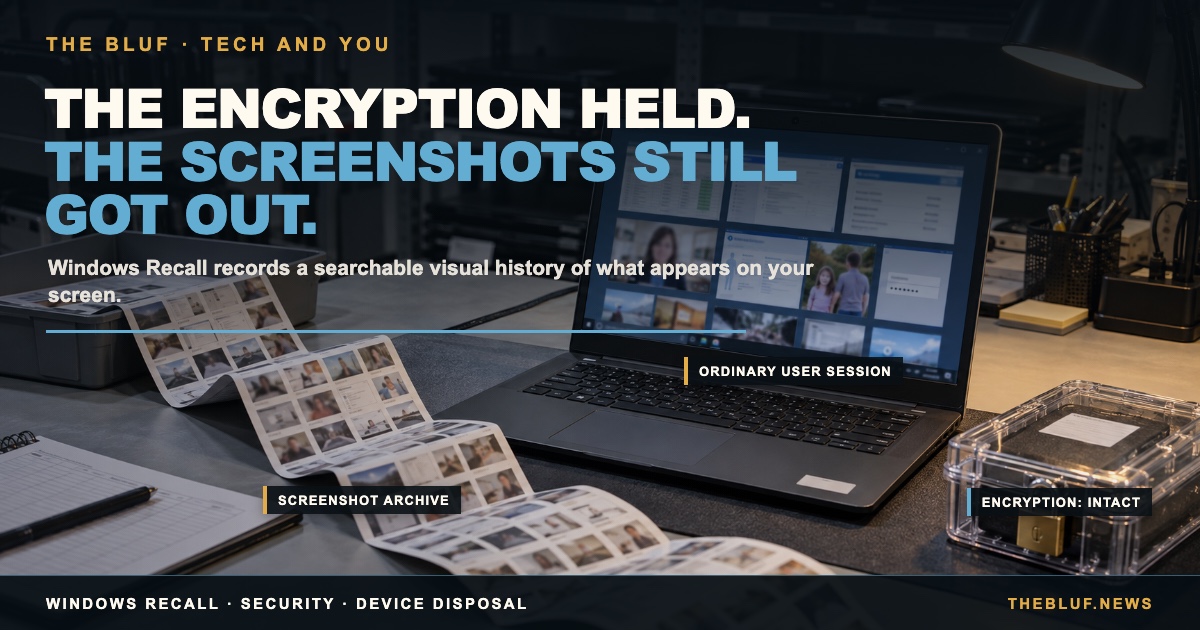
Recall runs on "Copilot+ PCs" — Windows machines with a specific AI chip built in. Once turned on, it takes a screenshot of your screen every few seconds, runs text recognition on it, and builds a searchable timeline. Type "that spreadsheet I had open Tuesday" into search and it finds the exact screenshot. Microsoft says none of it leaves your device — it's processed and stored locally.
What Microsoft fixed after the first version blew up
The original 2024 version was a real security failure: researchers found the whole screenshot database sitting on disk unencrypted, readable by any program on the machine with zero special permission needed. Microsoft delayed the launch twice and rebuilt it. What changed:
- Opt-in, not on by default — you have to turn it on yourself, and confirm twice.
- Windows Hello required — face, fingerprint, or PIN to open it.
- Encrypted, isolated local storage.
- A "sensitive information filter" meant to skip screenshotting passwords, card numbers, and similar data automatically.
What Hagenah found — and what Microsoft says about it
The Register, testing Recall's sensitive-information filter in August 2025 on a Copilot+ laptop, found it inconsistent: it correctly excluded card-entry fields when adding a card on Microsoft's own shopping site, and correctly excluded a bank account's routing and account numbers — but it still captured that same bank's balance and deposit screens, along with the bank's homepage. The filter isn't failing everywhere, but it isn't reliable either.
The same researcher who broke the original Recall came back with a tool he says gets in again. Zürich-based Alexander Hagenah — who broke the 2024 version with a tool called TotalRecall — privately disclosed a new flaw to Microsoft in March 2026 and, after Microsoft closed the case, published the tool publicly in April 2026 as TotalRecall Reloaded. It runs as a completely ordinary Windows user account, no administrator access — and, notably, Hagenah's own writeup says the encryption itself held up fine. The real gap is what happens right after your data gets decrypted: it gets handed to a rendering process (AIXHost.exe) that isn't itself sandboxed or locked down, and Hagenah's tool injects into that process after you've already logged in with Windows Hello, then pulls out the screenshots, the recognized text, and the metadata anyway. Kevin Beaumont — a security researcher who, back in 2024, tested off-the-shelf infostealer malware against the original version of Recall and got it to exfiltrate data before Microsoft Defender caught it — independently confirmed Hagenah's 2026 technique himself, noting it triggered no antivirus or endpoint-detection alerts at all.
Microsoft's response, from Corporate Vice President for Security David Weston, boils down to this: it isn't a bypass of a security boundary. In Microsoft's own words, the access pattern is "consistent with intended protections and existing controls." In plain terms — once you're logged in as yourself, the system treats you as trusted, which is exactly the scenario Hagenah's tool works within: it doesn't need to beat Windows Hello, it just needs to run after you already have.
The University of Pennsylvania's own Office of Information Security told its administrators to disable Recall outright, calling the risk "substantial and unacceptable" on security, legal, and privacy grounds.
Where the rollout actually stands
Recall reached general availability for all Copilot+ PC owners in April 2025 — this isn't a limited test-ring rollout. What's actually capping its reach is hardware: it only runs on Copilot+ PCs, machines with a specific AI chip that still make up a small share of the installed base. Per GeekWire's reporting, fewer than 10% of Windows 11 PCs can currently run it at all.
The angle almost nobody's covering: what happens when the laptop gets recycled
There's a less-obvious risk industry press has started flagging: when a company retires an old laptop — sells it, donates it, sends it to a recycler — Recall's local screenshot archive becomes a data-security liability that has to be dealt with before the device ever leaves the building. Most companies' device wipe-and-dispose processes were never built around a running visual history of everything an employee looked at for months. A standard data-destruction certificate doesn't currently prove a Recall database was actually wiped, not just the regular hard drive. For businesses managing a fleet of devices, that's a real gap between what their disposal paperwork says and what it actually covers.
What can I do
If you're on a Copilot+ PC and don't want this: Recall is opt-in, so if you never turned it on, it isn't running. If you did turn it on and want it off, it can be fully disabled — and, per Microsoft, completely removed — through Windows Settings. If you manage devices for a business, check whether your device-retirement process accounts for Recall's own database specifically, not just a standard wipe.
The Receipts
- Windows Recall | Wikipedia
- One year after its rocky launch, Microsoft's Windows Recall still raises security red flags | GeekWire
- Microsoft says new Windows Recall bypass isn't a vulnerability | iTnews
- Microsoft Denies a New Recall Security Vulnerability Claim | Thurrott
- Windows AI Recall is pushing data destruction upstream | Resource Recycling
- Is it time to recall Windows 11? | Tech Brew
- Microsoft launches Recall to Windows 11 general availability | Tom's Hardware
- Tested: Microsoft Recall can still capture credit cards and passwords | The Register
- How the new Microsoft Recall feature fundamentally undermines Windows security | Kevin Beaumont, DoublePulsar